
What Is a Smart Home and Do You Actually Need One? A Practical Guide for NC Homeowners
The term "smart home" gets thrown around a lot by tech companies, builders, and TV commercials. But for most homeowners in Garner, Raleigh, or Fuquay Varina, the honest question is not what is a smart home. It is what part of this actually makes my life better? That is exactly what this guide answers. |
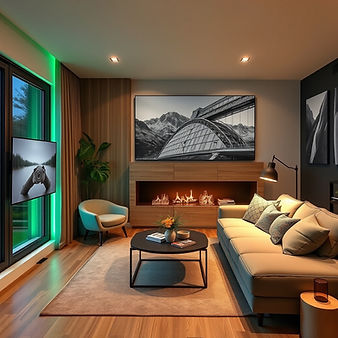
Walk into any big-box electronics store or scroll through a home improvement site and you will find dozens of gadgets labeled smart. Smart bulbs. Smart locks. Smart thermostats. Smart refrigerators that suggest recipes. It is a lot, and most homeowners end up doing one of two things: buying a handful of disconnected gadgets that work inconsistently, or deciding the whole thing is too complicated and doing nothing.
Neither approach serves you well. A properly planned smart home is not a collection of gadgets. It is a layered system where lighting, audio, security, and entertainment work together and respond to how you actually live. And in the Triangle area, where new construction is booming and homes are appreciating fast, the right smart home setup adds genuine value.
Wayne Lanier has been installing home audio and smart home systems in Garner, Raleigh, Fuquay Varina, and surrounding communities for nearly 20 years. Here is his practical take on what a smart home actually is, which parts are worth it, and which parts you can skip.
Building a new home and want to plan your smart home from the ground up? Read: What to Tell Your Builder About Smart Home Pre-Wire in Garner and Fuquay Varina
1. What a Smart Home Actually Is, Beyond the Marketing
A smart home is a residence where electronic devices and systems can be controlled remotely, automated based on schedules or triggers, and integrated so they work together through a common interface or voice command.
The key word is integrated. A single smart speaker in the kitchen does not make your home smart. It makes your kitchen slightly more convenient. A smart home, properly done, means your lights, your audio, your thermostat, your security cameras, and your entertainment system all speak the same language and can be managed coherently.
In practice, for most NC homeowners, a well-executed smart home setup looks something like this:
Whole-home audio that follows you room to room from a single app or voice command
TVs that mount cleanly with no visible wires and integrate with your streaming services
Security cameras and a video doorbell you can check from your phone from anywhere
A smart thermostat that learns your schedule and adjusts automatically
Outdoor speakers and lighting that respond to time of day or a single tap
Not a refrigerator that tells you when to buy milk. Not a smart toilet. Just the things that genuinely improve daily life.
2. The Practical vs. the Gimmicky: What Is Actually Worth It
Part of Wayne's job is being honest with homeowners about what is worth the investment. Here is a clear-eyed breakdown.
Absolutely Worth It
Music in every room, controlled from one app. Once you have had it, going back to a single Bluetooth speaker feels like a step backward. Whole-home audio.
The visual difference between a cleanly installed TV and one with wires hanging down the wall is enormous. This is one of the highest-impact, most affordable upgrades available. Professional TV mounting with concealed wiring.
Ring and Google Nest systems have become genuinely reliable. Knowing who is at your door from anywhere in the world is no longer a luxury. Smart security cameras and a video doorbell.
Boring but essential. A wired network backbone eliminates the dead zones and buffering that frustrate homeowners with purely Wi-Fi setups. Structured network wiring (Cat6).
Worth It With the Right Plan
Useful in high-traffic areas and outdoor spaces. Can feel unnecessary if you are replacing perfectly good switches. Best planned during new construction or a major renovation. Smart lighting.
A Nest or Ecobee thermostat typically pays for itself within a year or two through energy savings. A straightforward upgrade for almost any home. Smart thermostat.
Transformative if you use your living room or media room for movies and TV. Less compelling if you mostly watch on tablets or laptops. Home theater and surround sound.
Probably Not Worth It for Most Homeowners
The connectivity features on most smart refrigerators, ovens, and washing machines add cost without adding meaningful practical value. Smart appliances.
Voice control is useful for some tasks, like playing music or checking weather, and awkward for others, like adjusting TV settings. Having it as an option is great. Depending on it exclusively creates frustration. Voice-controlled everything.
Wayne's rule of thumb: "If I have to explain to a homeowner how to use it after the install, it probably should not be in the system. The best smart home technology is the stuff you forget is smart because it just works." |
Wondering where to position your new TV for the best experience? Read: Above the Fireplace or Off to the Side? A Professional Installer's Guide to TV Placement
3. DIY vs. Professional Installation: Why It Matters for Smart Homes
The smart home industry has worked hard to make everything sound easy to install yourself. For some things, like a single Ring doorbell, a Nest thermostat, or a Philips Hue bulb, DIY is genuinely fine.
But here is what changes when you start building a real system:
Multi-room audio requires speaker wire runs through walls and ceilings. Without the right tools and experience, DIY installs often produce sound quality that is worse than a single good Bluetooth speaker.
TV mounting on certain wall types, including tile, brick, and older construction without accessible attic space, is genuinely difficult and carries real risk of damaging your wall or your TV.
Security camera placement is more strategic than it looks. Poorly placed cameras create blind spots. Improperly wired systems drain your Wi-Fi and create reliability problems.
System integration is where DIY almost always falls short. Getting your audio, TV, thermostat, and security system to work together as a cohesive experience requires configuration knowledge that product manuals do not provide.
A professional installer does not just put things on walls. They plan the system from the beginning so every component works with every other component, the installation is clean, and you are not calling someone six months later to troubleshoot why your audio drops out every time you run the microwave.
Related reading: See everything Wayne installs for homeowners across the Triangle. |
4. The Right Starting Point for a Triangle-Area Homeowner
The answer depends on where you are in your home journey.
If you are building a new home in Garner, Fuquay Varina, or Wake Forest: The pre-wire phase is your highest-leverage moment. Getting Cat6, speaker wire, and HDMI conduit in the walls before drywall is dramatically less expensive than doing it later. Start with the infrastructure and add devices over time.
If you are in an existing home and want to upgrade: Start with the highest-impact items, which are TV mounting, a quality soundbar or surround sound setup, and a smart thermostat. These deliver immediate, noticeable improvements without requiring major construction.
If you are already somewhat smart but things feel disconnected: This is where a professional assessment is most valuable. Wayne can evaluate what you have, identify why things are not working together, and recommend the most efficient path to a cohesive system.
Already settled into a new home and ready to set it all up? Read: Moving to Wake Forest, NC? Here Is What to Know About Setting Up Your Home Entertainment System
5. How NC Home Audio Solutions Approaches Smart Home Installation
Wayne's approach has always been practical over flashy. He is not trying to sell homeowners on the most expensive system available. He is trying to build something that genuinely works for the way they live.
That means starting with a conversation about how you use your home, what frustrates you about your current setup, and what you actually want to be able to do. From there, he recommends a system that is appropriately scaled, whether that is a single-room audio upgrade or a whole-home smart system for a new build.
He installs and supports products from trusted manufacturers including Ring, Google Nest, WiiM, JukeAudio, Sonos, and leading speaker brands, all chosen for reliability and ease of use rather than novelty. He serves homeowners throughout Garner, Fuquay Varina, Raleigh, Wake Forest, Clayton, and Johnston County.
Ready to figure out what a smart home looks like for your life? Call Wayne at (919) 602-4996 or visit nchomeaudiosolutions.com/contact. No jargon, no pressure. Just an honest conversation about what makes sense for your home in Garner, Raleigh, Fuquay Varina, or Wake Forest.
Frequently Asked Questions
These are the questions Wayne hears most often from Triangle homeowners who are just getting started with smart home planning.
Do I need a dedicated hub or controller for a smart home?
It depends on the scale of your system. For a basic setup with a few smart devices controlled by an app or voice assistant, a hub is not necessary. For a whole-home system where multiple devices need to work together reliably, a central controller simplifies management significantly. Wayne can advise on the right approach for your specific situation.
Which smart home platform should I use: Google, Amazon, or Apple?
The best platform is the one that works with the devices you already own and the phone in your pocket. Google and Amazon ecosystems are both mature and work well with most third-party devices. Apple HomeKit offers stronger privacy controls but a smaller device ecosystem. Wayne can help you evaluate which makes the most sense based on what you have and what you want.
Will smart home devices make my home more secure?
Properly installed and maintained smart security devices, including cameras, video doorbells, and smart locks, meaningfully improve home security. The risk comes from devices that are not updated, are poorly configured, or use weak passwords. A professional installation includes configuration best practices that significantly reduce those vulnerabilities.
How long does a smart home installation take?
A typical installation for an existing home covering TV mounting, whole-home audio, and smart security setup usually takes one to two days depending on complexity. New construction pre-wire work is scheduled around the construction timeline and coordinated with your builder.
Can Wayne integrate devices I already own into a new system?
In most cases, yes. Many smart home devices from major brands including Ring, Nest, Sonos, Amazon, and Apple can be integrated into a cohesive system. Wayne will assess compatibility during the initial consultation and let you know if any devices should be replaced or supplemented to make everything work cleanly together.
About the Author
Wayne Lanier is the owner and lead installer at NC Home Audio Solutions, based in Garner, North Carolina. He has been installing smart home systems, whole-home audio, TV mounting, and security camera setups for homeowners across the Triangle since 2007. His clients include new-build homeowners in Fuquay Varina and Garner, established residents in Raleigh and Wake Forest, and small business owners throughout Wake and Johnston counties.
Written by Wayne Lanier, Owner and Lead Installer | NC Home Audio Solutions | Garner, NC | Serving the Triangle since 2007 | License: Low Voltage Specialty Contractor | (919) 602-4996 | nchomeaudiosolutions.com


Comments